Solutions
One app for the whole deal, from first lead to signed contract.
Sign Work Pro is an e-signature app for realtors and brokerages. Alongside signing, it adds client ID verification, a CRM, email marketing, lead generation and SWP Floor Plan, so one login covers every step of a listing or a sale.
eSign digital signatures
Prepare, send, sign and store every contract.
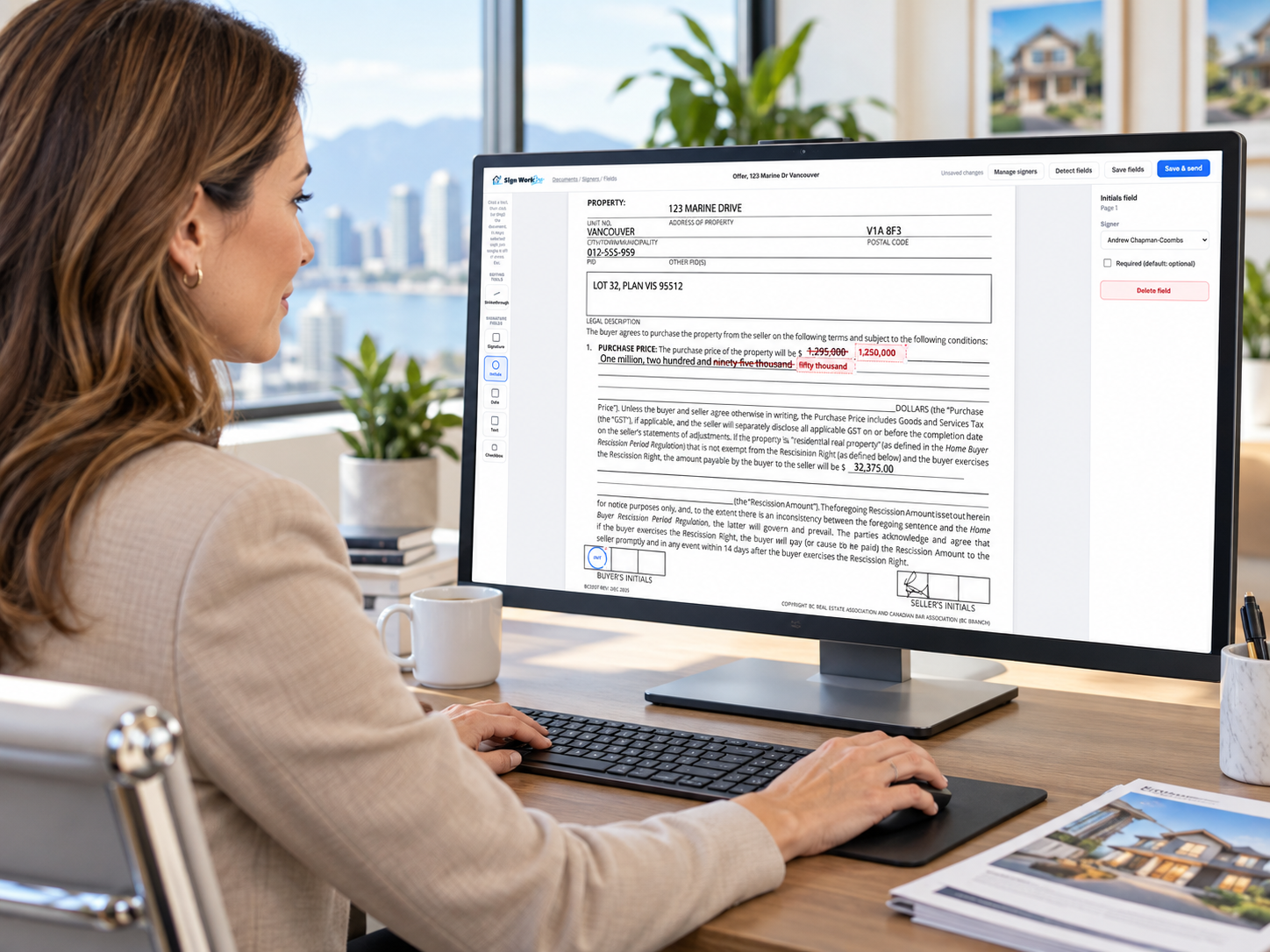
The core of Sign Work Pro: offers, counter-offers, amendments and disclosures signed from any phone, with a tamper-evident audit trail on every document.
Less document handling
Built around how real estate contracts change.
Flat monthly pricing with no per-envelope fees. Each feature has its own page: strikethrough amendments, text and WhatsApp signing and the client portal and app.
Strike out and initial
Strike a price or term, write the new one beside it, and every party initials the change.
Up to 20 documents per envelope
Upload Word or PDF files, order them, and auto-create initials and signature placeholders.
Sign from any phone
Send signing links by email, SMS or WhatsApp, or by Instagram and Facebook Messenger.
Audit trail on every file
A hash-chained audit trail and Certificate of Completion are attached to each signed document.
Straight into your transaction file
Set the copy email to your Lone Wolf, zipForm or SkySlope transaction address and the signed contract lands there.
ID Verification ADD-ON
Know your client before they sign.
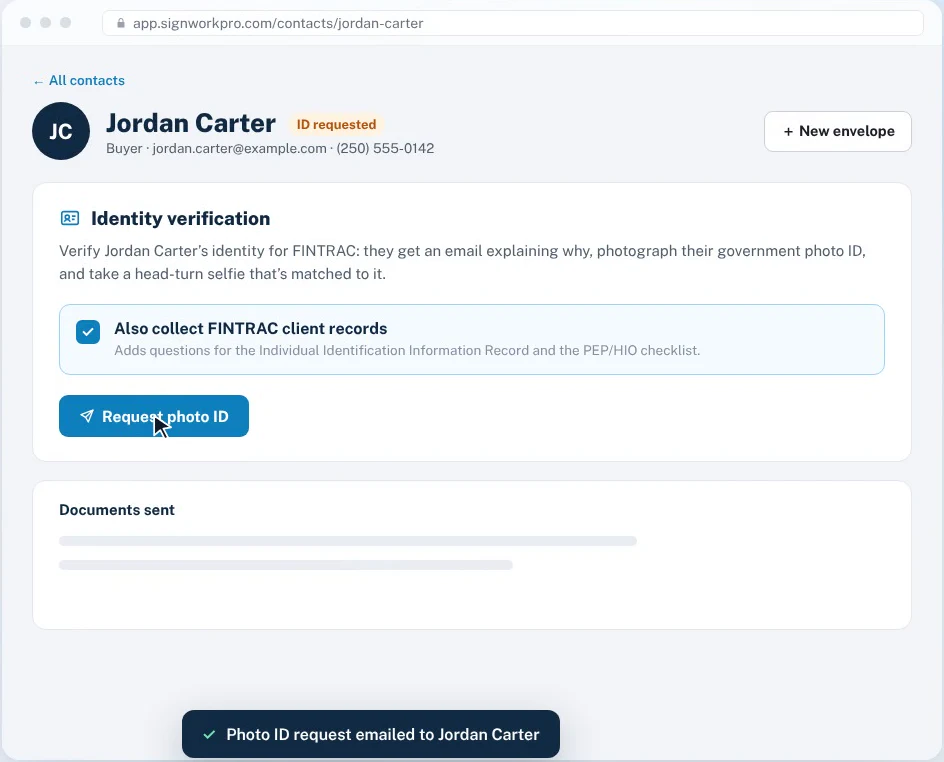
Photo ID checks, face matching and FINTRAC client records, built into the app you already use to send documents for signing.
Request a photo ID check from any contact. Your client verifies on their phone in about two minutes, Sign Work Pro checks the result for you, and your FINTRAC Individual Identification Information Record and PEP/HIO checklist are filled in, with client risk scored, ready to download as a PDF with an Identity Verification Certificate.

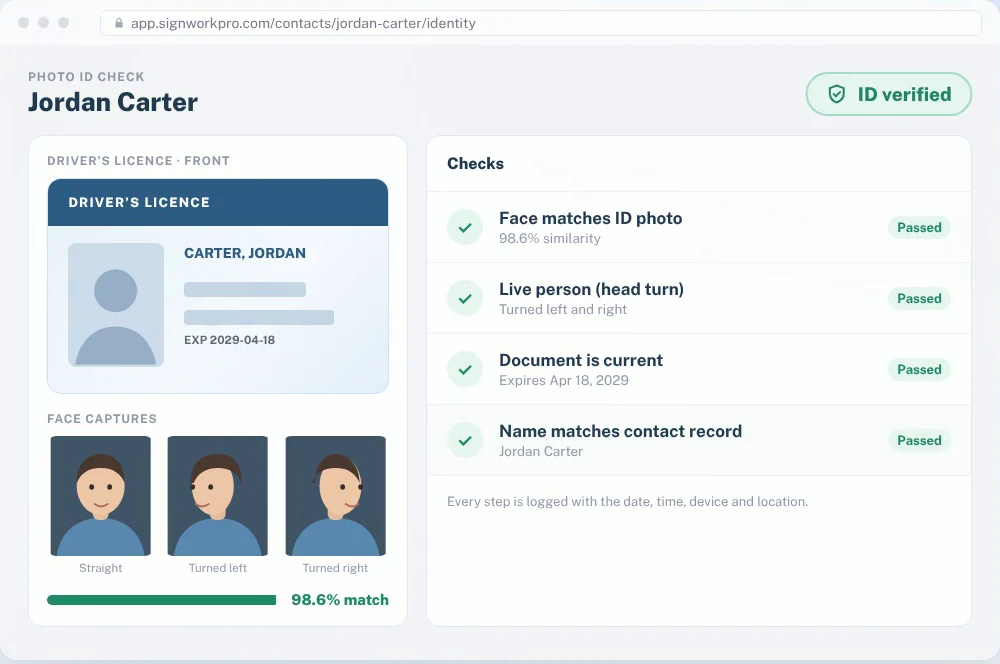
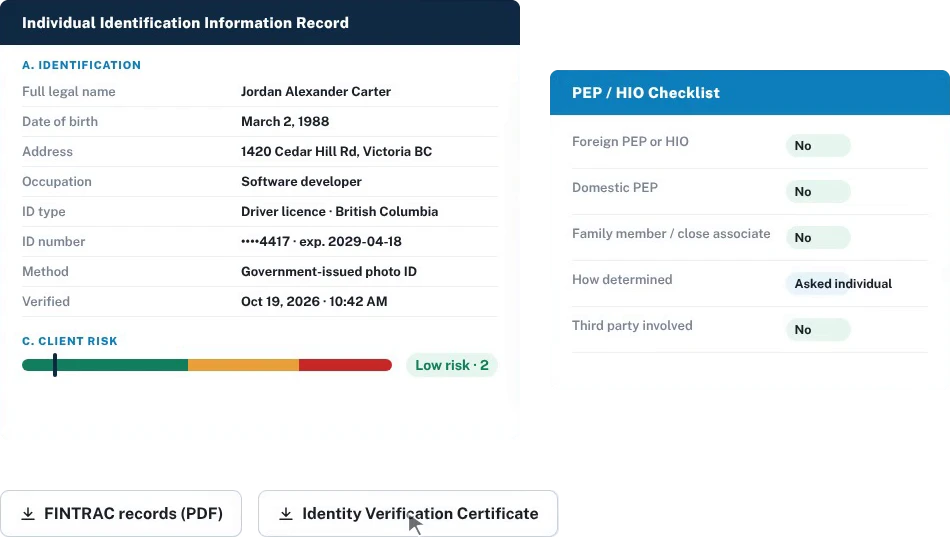
ID photos are encrypted and processed in Canada, and only the realtor who requested the check can see them.
CRM App ADD-ON
Your clients, your pipeline, your documents. One place.
There’s nothing new to learn: the clients you already send documents to become your CRM.
Every call, email, text and client message sits on one timeline, right beside the documents they’ve signed. Move contacts through your lead stages, keep follow-ups on schedule and track every deal from first showing to closing.
One client timeline
Log notes, calls, emails, texts, meetings and showings. Signed envelopes and portal messages appear on the same timeline.
Lead stages and tags
New lead, contacted, qualified, nurturing, active client and past client, with your own tags and lead sources.
Tasks and follow-ups
Set follow-ups on any contact and see what’s due today and coming up in the next 30 days.
Deals pipeline
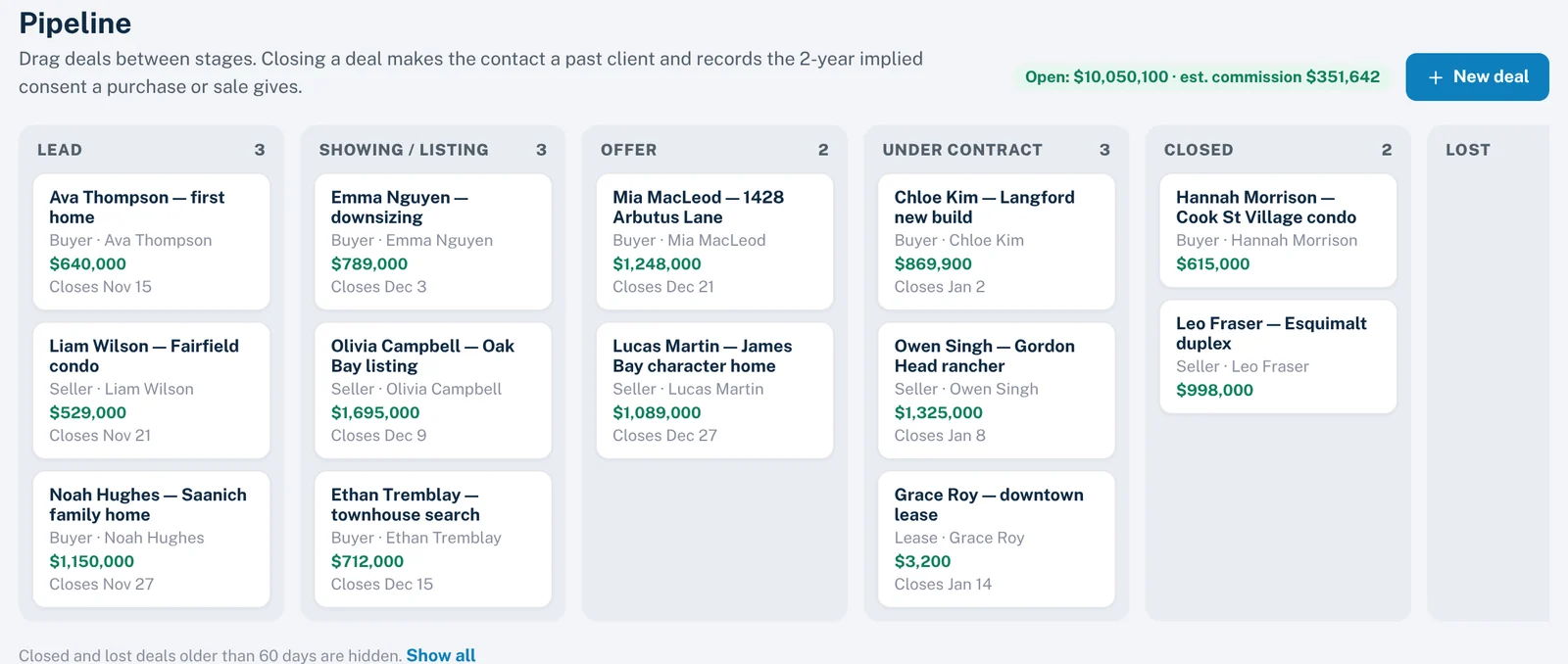
Buyer, seller and lease deals move from lead to showing, offer, under contract and closed.
Relationships
Link spouses, co-buyers, family, referrers, lawyers and lenders so the whole picture is one click away.
CASL consent tracking
Record express and implied consent, see when implied consent expires, and honour every unsubscribe.
Working with an assistant or a team? Invite them, share one address book, and see contacts by stage, leads by source and response times in CRM reports.
Email Marketing
Stay in front of every client, without a separate email tool.
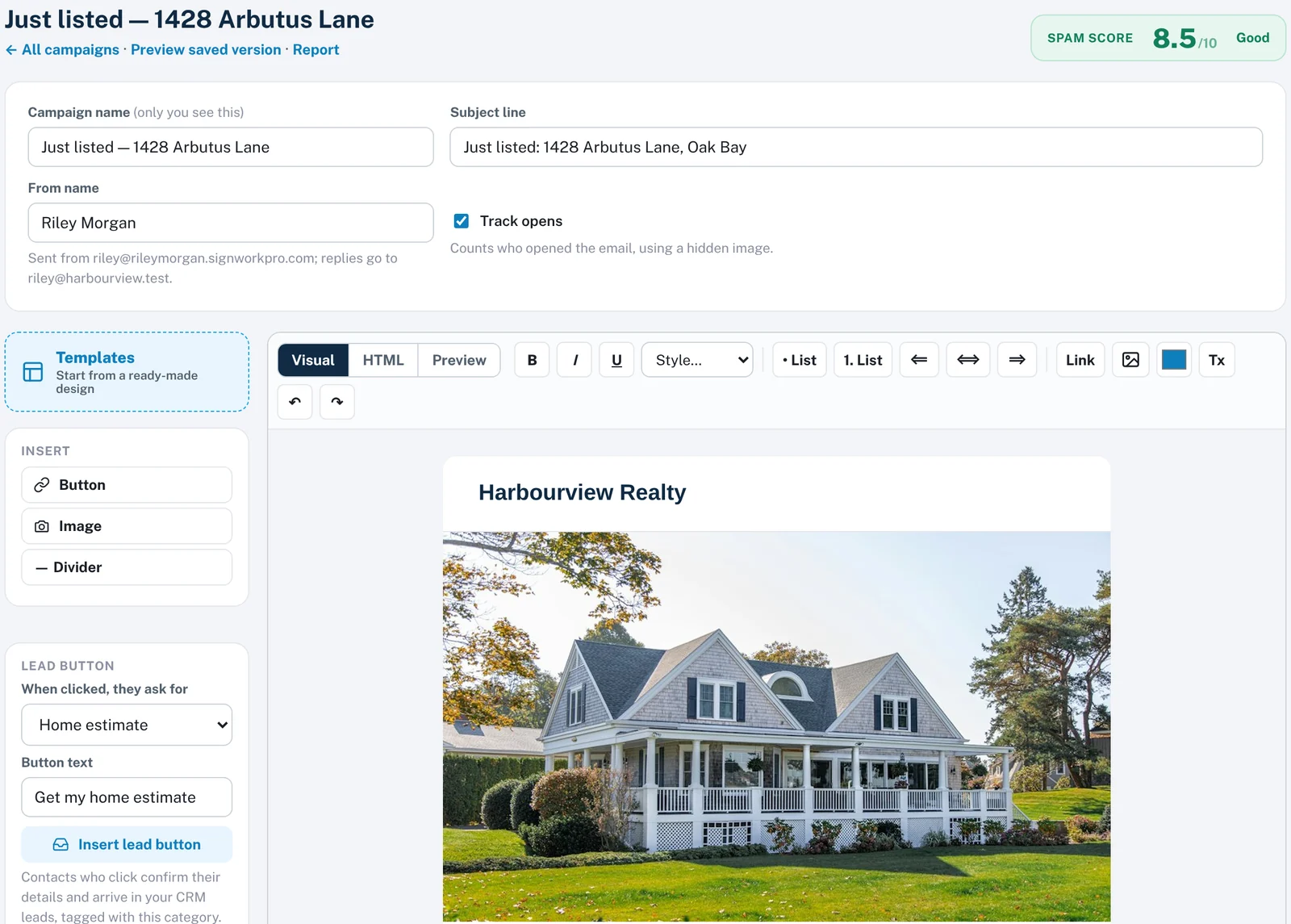
Send branded campaigns to your own contacts from your own address, yourname.signworkpro.com, with replies going straight to your inbox.
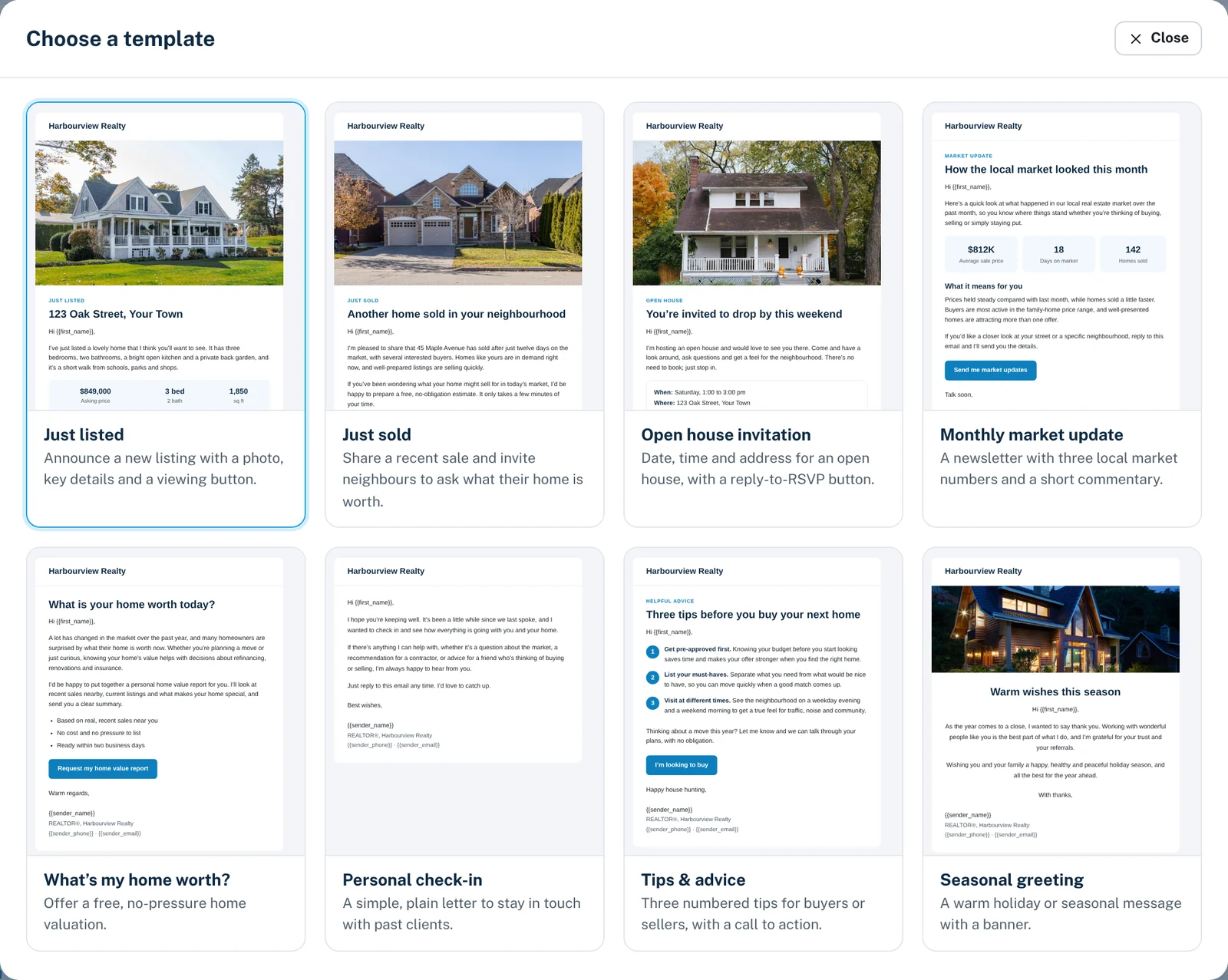
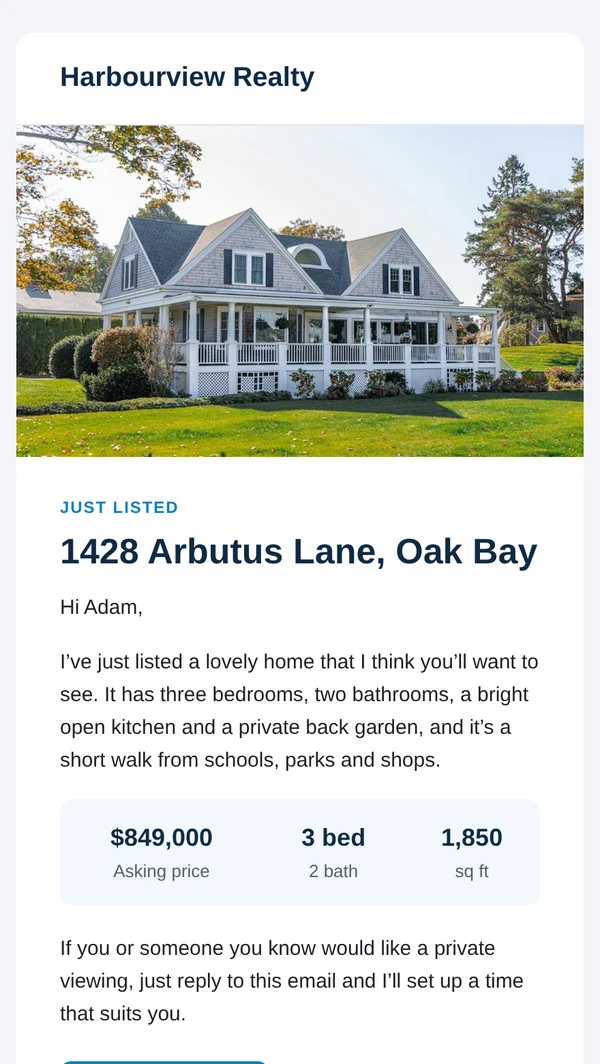
Pick a ready-made real estate template, drop in your photos and personalize it with each contact’s name. Add a lead button and anyone who clicks it lands in your CRM as a new lead, tagged with what they asked for.
Ready-made templates
- Just listed
- Just sold
- Open house invitation
- Monthly market update
- What’s my home worth?
- Personal check-in
- Tips & advice
- Seasonal greeting
Spam-checked before it sends
Every campaign gets a spam score first. A low-scoring campaign is held for review, so it never hurts your reputation.
Only contacts with valid consent
Campaigns go to contacts with current CASL consent, carry your postal address and include a one-click unsubscribe.
Lead buttons that fill your CRM
“Get my home estimate”, “Book a viewing”, “Count me in” and more. A click confirms their details and creates a lead.
Test sends and open tracking
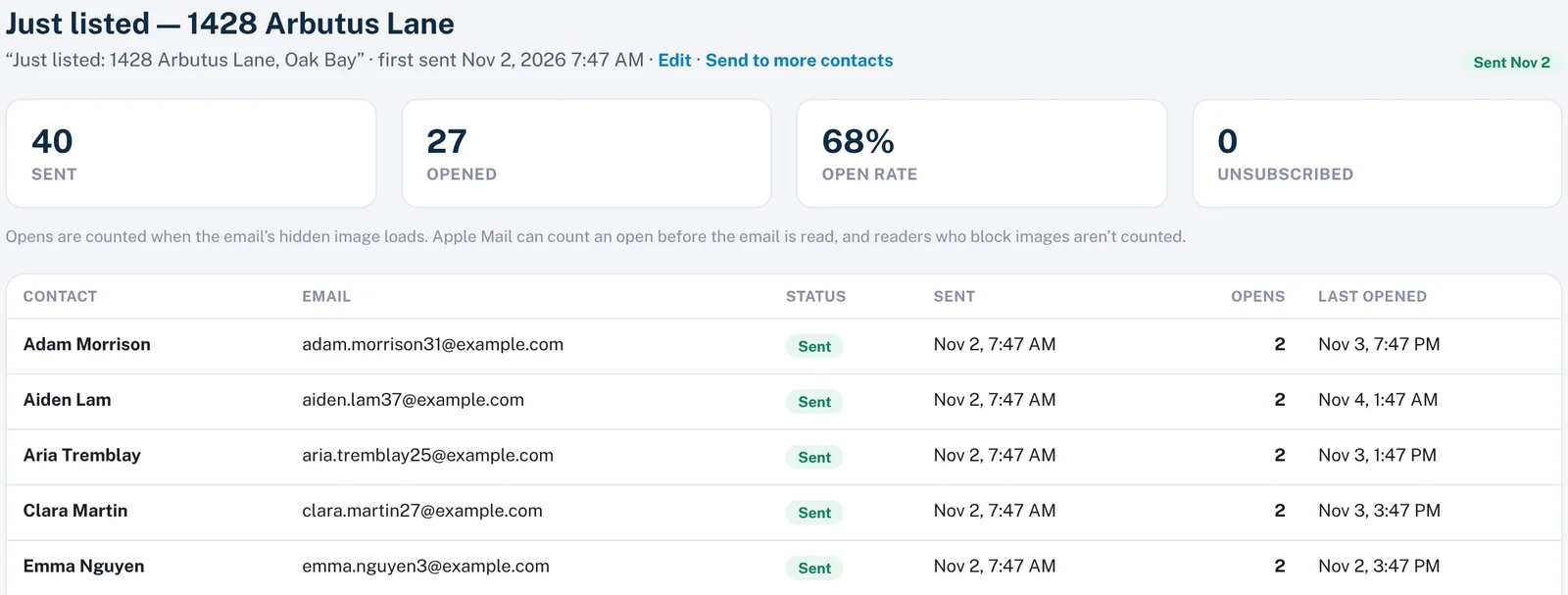
Send yourself a test, then see how many contacts received and opened each campaign.
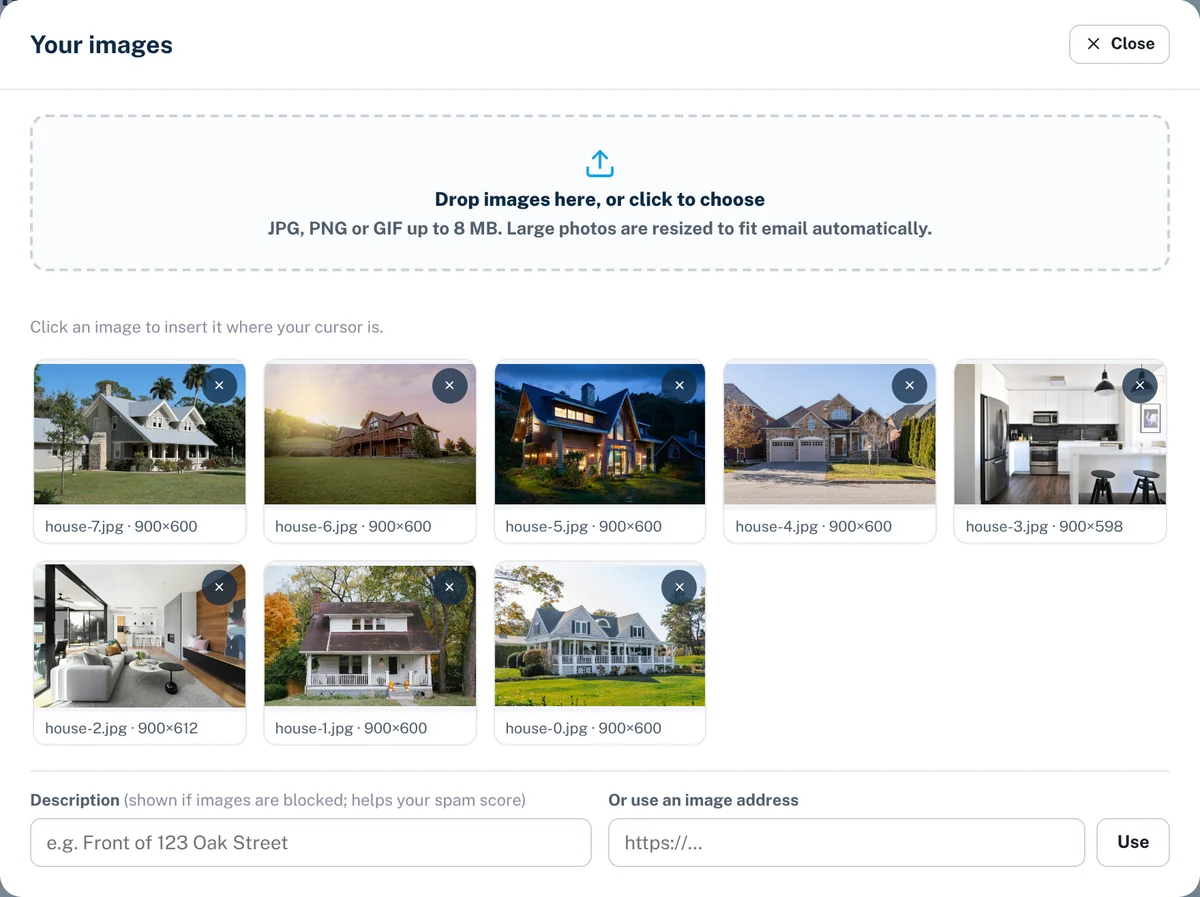
Your own image library
Keep listing photos and banners in one place and reuse them across campaigns.
Lead Generation ADD-ON
Capture leads wherever buyers and sellers find you.
Every lead arrives as a contact in your CRM with its source recorded, and gets an instant reply while you’re still at the showing.
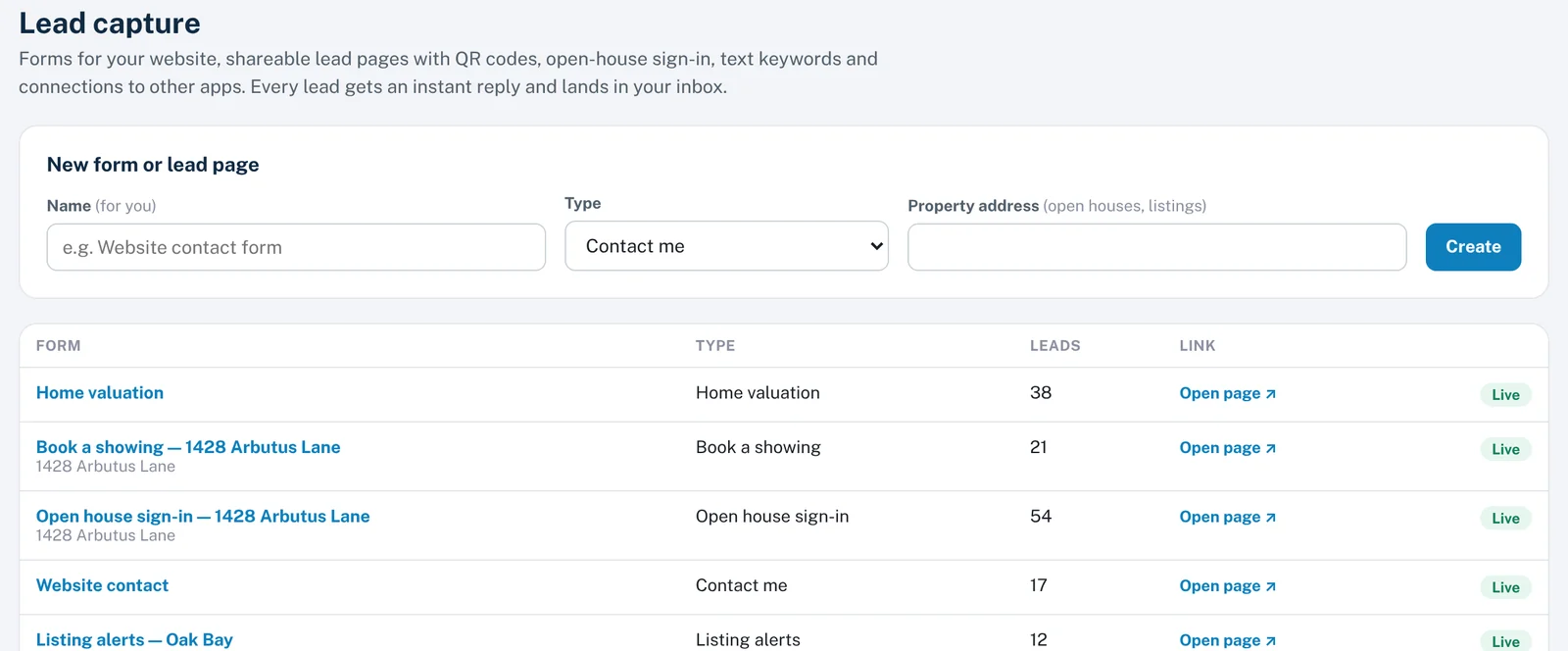
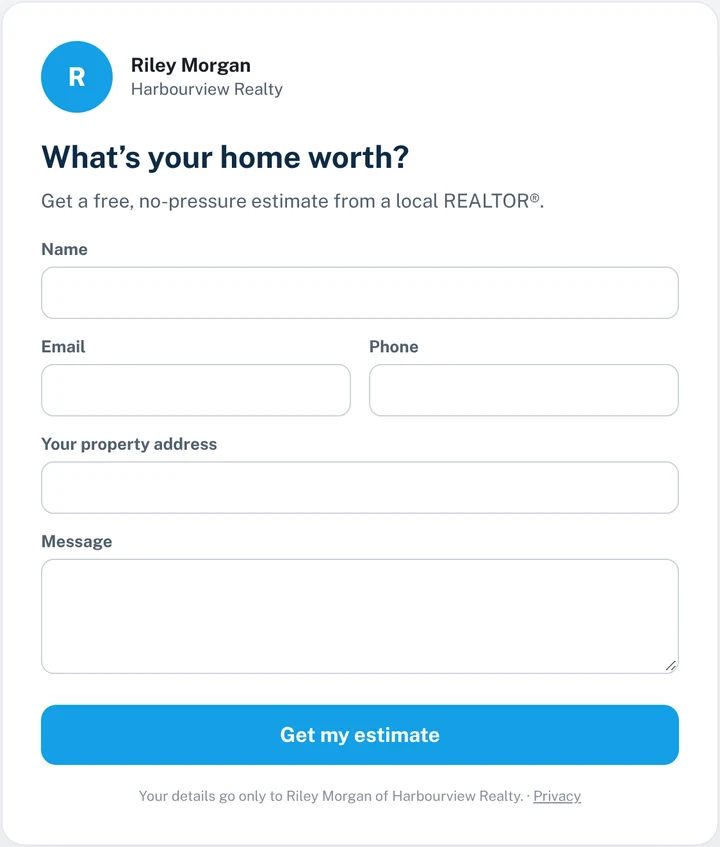
Forms for your website
Copy one line of code to add a contact, home valuation, book-a-showing or listing-alerts form to the website you already have.
Lead pages and QR codes
No website? Publish a hosted lead page and print its QR code on signs, flyers and feature sheets.
Open-house sign-in
Visitors sign in on a tablet or their own phone, and every one of them is a contact before they leave.
Text keywords
Put a keyword on your sign rider. Anyone who texts it gets the details back and lands in your leads.
Auto-replies and drip campaigns
Answer every new lead instantly, then follow up over days or weeks with a sequence of emails and texts.
Lead routing for brokerages
Office leads rotate fairly between agents, unclaimed leads move on automatically, and webhooks send leads to your other tools.
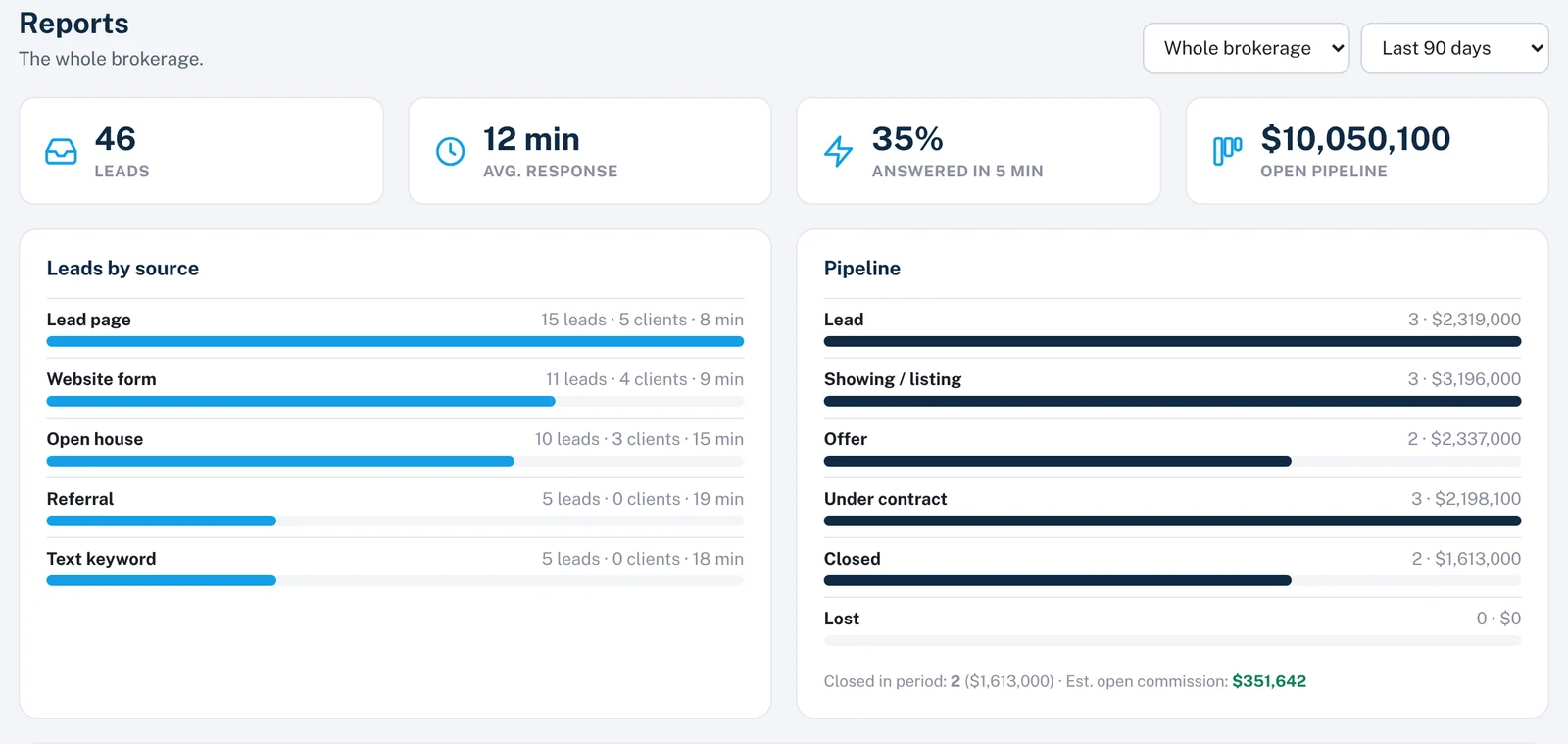
CRM reports show leads by source, how many became clients and your average response time, by agent across the office.
SWP Floor Plan NEW ADD-ON
Measure on site. Get the square footage and the floor plan.
Enter each room in feet and inches as you walk the home, and SWP Floor Plan does the arithmetic: per room, per level and for the whole property.
When you’re done, one click turns the same measurements into a clean, architectural-style floor plan PDF for your listing, with the square footage summary printed on it.
- Finished
- 590 sq ft
- Unfinished
- 94 sq ft
- Total
- 684 sq ft
SWP Floor Plan in action
Measure it. Draw it. Share it.
Watch a real property go from room measurements to a branded, print-ready floor plan in under two minutes.
Rooms in feet and inches
Draw walls to your measurements, add doors and windows, and lay out every level: main, upper and basement.
Square footage, worked out
Finished and unfinished, above and below grade, per room, per level and for the whole property.
The right things counted
Garages and open-to-below areas are drawn but not counted, decks and patios get their own line, and low-ceiling rooms are flagged.
Exterior or interior measurement
Measure to the outside face of exterior walls, or room by room. The standard used is printed on every plan.
Fixtures and furniture
Place counters, islands, sinks, tubs, appliances, beds and sofas, then switch the elements layer off for a clean, measured plan.
Branded PDF or a clean JPG
Set north, add your branding, a room list and footer, then print a PDF. Or export an unbranded JPG for MLS and social media.
Measurement standards differ by board and province. Confirm which standard your board expects before publishing square footage.
Features
How documents get sent, amended, signed and kept, from the first link to the Certificate of Completion.
Who it’s for
Plans and workflows for individual realtors and for the brokerages they work with.
Compare
How Sign Work Pro sits next to the other e-signature tools realtors use.
Company
Who builds Sign Work Pro, what has shipped lately, and the sign-in API for brokerages.
Legal
How customer data is handled and protected, the terms of use, and how to delete an account.
Add the modules you need, when you need them.
Start with signing from $4.99 a month, then add ID verification, CRM, lead generation or SWP Floor Plan. No long-term contract.